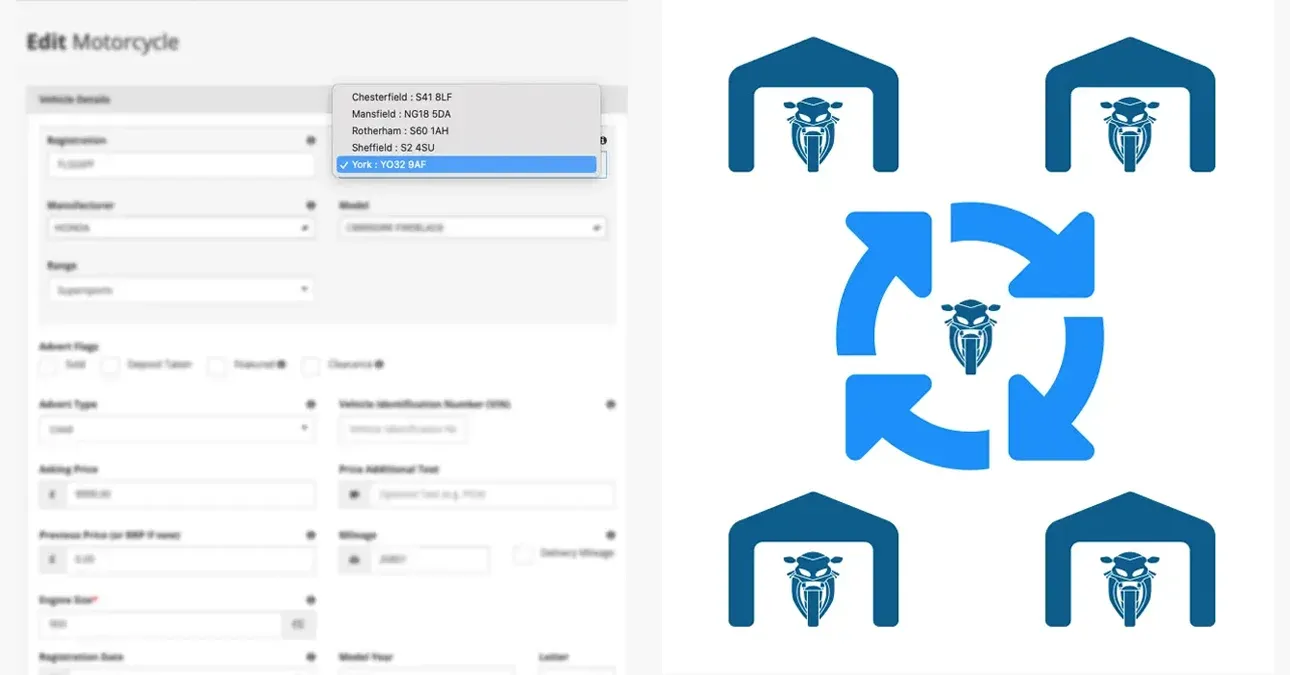
Managing motorcycle stock across single and multiple dealership locations
Whether you operate from a single forecourt or run stock across several sites, Bikes in Stock is built to reflect your real-world setup. Add as many locations as your business needs, keep each one's inventory accurate, and move bikes between sites in a few clicks — with every connected platform updating automatically.
Built for how dealers actually operate
Most dealer management tools treat a multi-site business as an edge case. In practice, running stock across more than one location is common — a main dealership with a satellite site, a used stock compound separate from the showroom, or a group with several franchised outlets across a region. Bikes in Stock handles all of these without requiring workarounds or separate accounts.
Each location you add becomes part of your dealer profile on the platform. Listings show the correct location to buyers, feeds to third-party advertisers carry the right address data, and where applicable, your own DealerWebs-powered website stays in sync — all from one place.
Adding and managing your locations
Setting up multiple locations is straightforward. Each site is added to your dealer account individually, with its own address, contact details, and opening hours. Once added, you can assign bikes to any location when listing them — and change that assignment at any point as your stock moves around.
There's no limit on the number of locations you can add, and there's no additional complexity involved in managing them. The same dashboard you use to manage a single site works identically across a multi-location setup — the only difference is the dropdown you'll see when assigning or moving stock.
Moving a motorcycle between locations
Stock moves. Bikes get transferred between sites for customer viewings, pre-delivery inspection, storage rotation, or simply because demand is stronger at one location than another. Keeping your advertising accurate when that happens is often where dealers run into problems — but with Bikes in Stock, it takes seconds.
To move a bike from one location to another:
- Open the listing in your dealer dashboard
- Select the new location from the location dropdown — all your registered sites are listed there
- Save the change
- That's it — the updated location is reflected immediately across your listings and pushed out on the next export to all connected feeds and third-party advertisers
There's no need to remove and re-list the bike, no manual updates required on other platforms, and no risk of the listing showing the wrong site while you wait for changes to propagate. The update flows through automatically.
Why accurate location data matters to buyers
Buyers searching for motorcycles online increasingly filter by location. A bike listed at the wrong address — or showing a generic dealership name without a specific site — creates friction at exactly the point where a buyer is deciding whether to get in touch. If the location looks uncertain or out of date, many won't bother.
Accurate, site-level location data on your listings means buyers know precisely where the bike is, can plan a viewing, and arrive at the right address. For dealers with multiple sites, it also means you're not sending buyers to the wrong forecourt — which wastes time on both sides.
How location updates flow to connected platforms
If you're using Bikes in Stock as your source feed — pushing stock out to Auto Trader, eBay, MCN, Motors.co.uk, or your DealerWebs website — location changes made in your dashboard flow through to all of those destinations automatically on the next export. You're not maintaining location data in several different places; you update it once and the rest follows.
Location updates push automatically to
- Auto Trader
- eBay
- Car & Classic
- Gumtree
- MCN
- Motors.co.uk
- All DealerWebs websites — if your dealer website is DealerWebs-powered, the correct location is always reflected there without any separate update
Useful for common operational scenarios
Multi-location stock management covers a range of day-to-day situations that dealers encounter regularly:
- Customer demonstrations — a bike is moved temporarily to a closer site for a test ride, then returned; both moves take seconds to record
- Stock rotation — slower-moving stock shifted to a busier forecourt is immediately advertised at its new location without any listing work
- Pre-delivery and preparation — if bikes go through a prep centre or compound before arriving at the sales site, they can be listed accurately at each stage
- Group dealer operations — for dealer groups managing inventory across multiple branded or unbranded sites, each location is tracked and advertised independently from a single account
No duplicate accounts, no duplicate effort
One of the more common setups we see is dealers running separate advertising accounts for each of their sites — which means duplicate data entry, inconsistent listings, and more accounts to manage. With Bikes in Stock, a single dealer account covers all your locations. Your billing, your listings, and your feeds all run from one place, regardless of how many sites you operate.
For dealer groups in particular, this simplifies the admin considerably. One account contact, one billing arrangement, one place to make changes — and a clear view of what's listed where across the whole group.
Getting set up with multiple locations
If you're new to Bikes in Stock, locations are configured as part of your account setup — the team will make sure each site is added correctly before you start listing stock. If you're an existing dealer who has expanded to a new site, adding it to your account is a quick process; get in touch and we'll have it added the same day.
Either way, the ongoing management is no more complex than running a single location. The platform is designed to match how your business actually works — not to create extra steps around it.
Ready to get your stock live across all your sites?
Head to the advertising page for full details on pricing and how to get started, or get in touch if you'd like to talk through how multi-location setup works for your specific situation.
Ready to list your bikes?
Advertise your motorcycles for sale on Bikes in Stock, the Motorcycle Marketplace
List your bikes Contact us